24/48 · 48/96 · 24/72 · Kelly · 12-hour

Built for the 24-hour tour

Start your tour at roll call. Log food, water, sleep and training between calls. No account, and your data stays on your phone.

App Store privacy labelData Not Collected

Coming soon to the App Store · iPhone
  • No account, no sign-in
  • Apple Health optional, read-only
  • No ads, no tracking
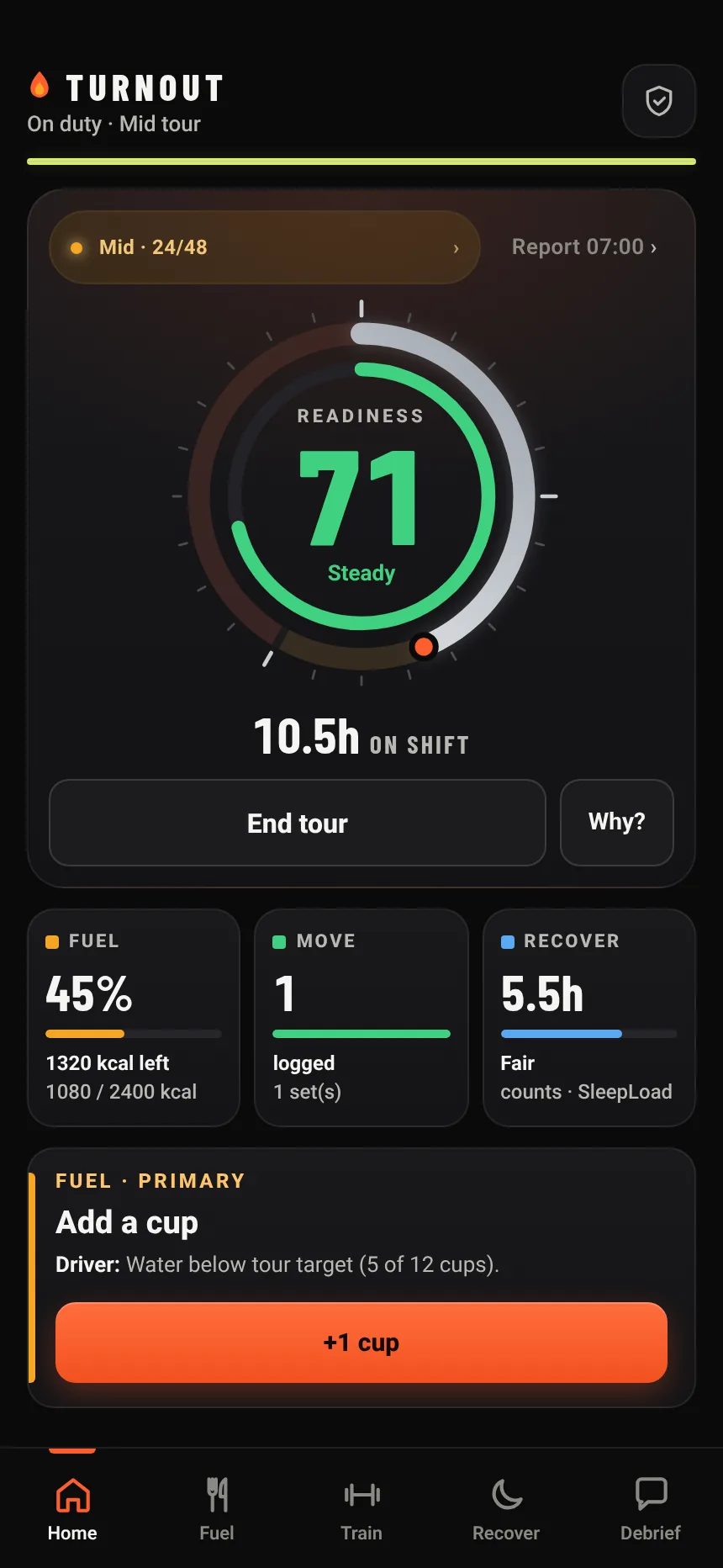
TURNOUT Home screen: a live shift dial showing Mid tour, 10.5 hours on shift, readiness 71 Steady, with Fuel, Move and Recover tiles filled in below

What it does

One glance. Whole tour.

Most fitness apps assume a 9-to-5 and eight hours in a bed. Your day doesn't work like that. TURNOUT is built around the tour: when it started, how far in you are, and what you've put back in the tank.

Readiness

Your score lives on the shift clock

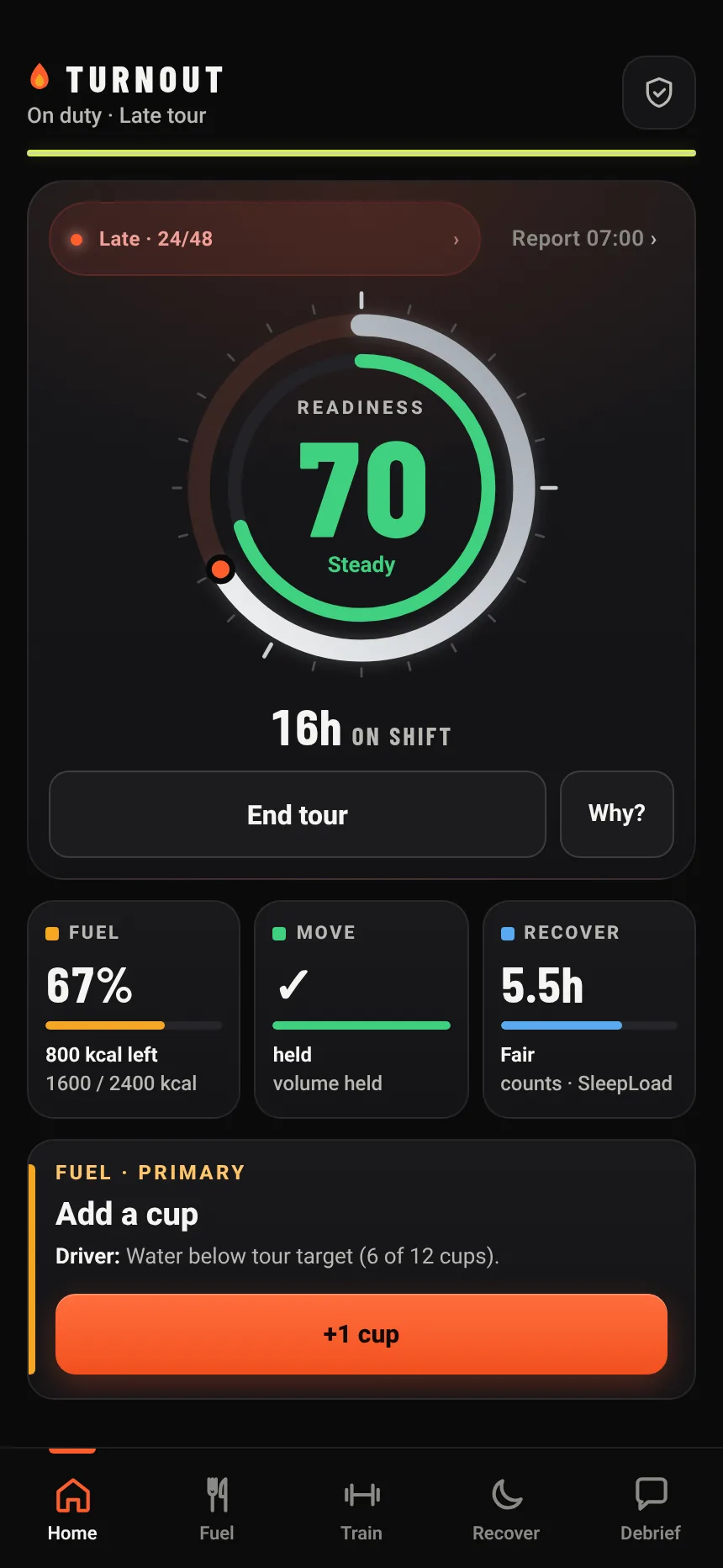
Readiness sits inside a live 24-hour dial. The ring fills as the tour runs. The number tells you how your logging is stacking up across the tour.

  • Green, yellow or "Low · recover first." Plain words, no verdicts.
  • Tap Why? to see what's pulling the number down and the one thing worth fixing next.
  • Built from what you log. A guide for you, not a grade for anyone else.
Readiness score of 70, Steady, inside the shift dial at 16 hours into a late tour, with a Why? button and Fuel, Move and Recover tiles

Fuel

Fuel the whole tour

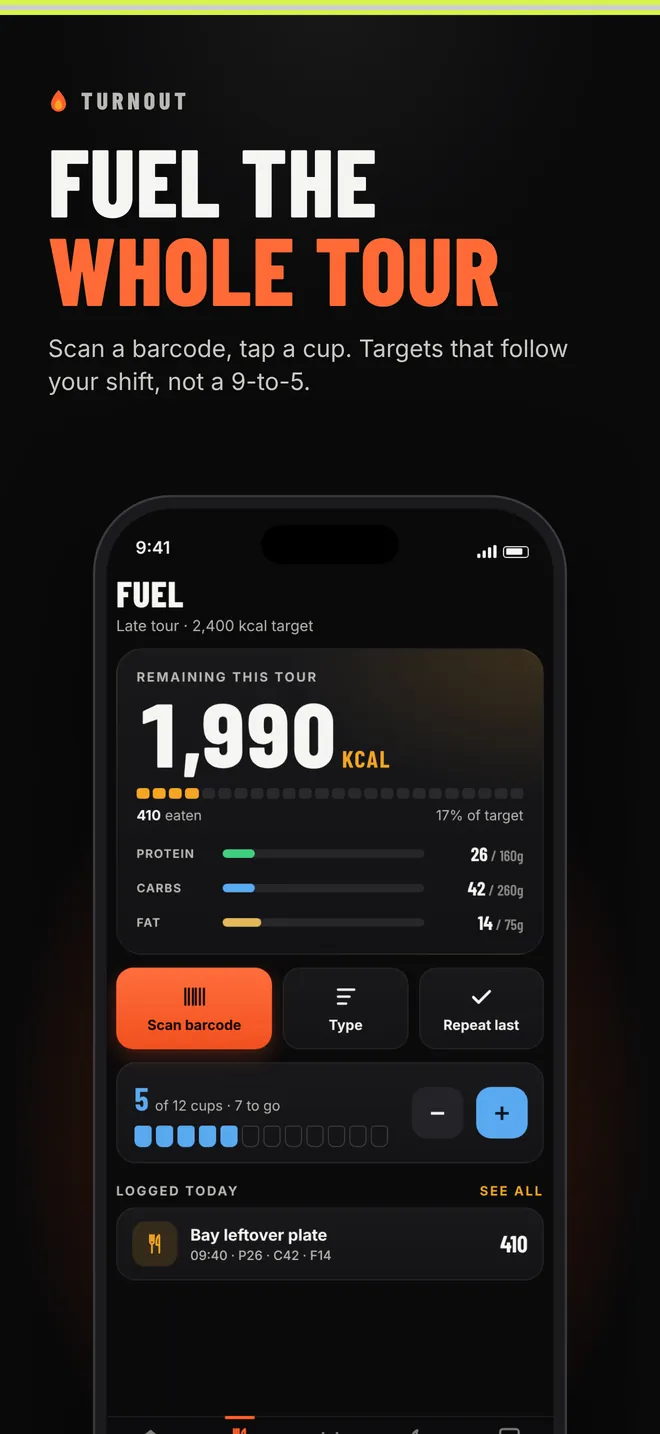
Scan a barcode, search a food, or one-tap the firehouse chili you log every week. Targets pace to your shift, not a breakfast-lunch-dinner day.

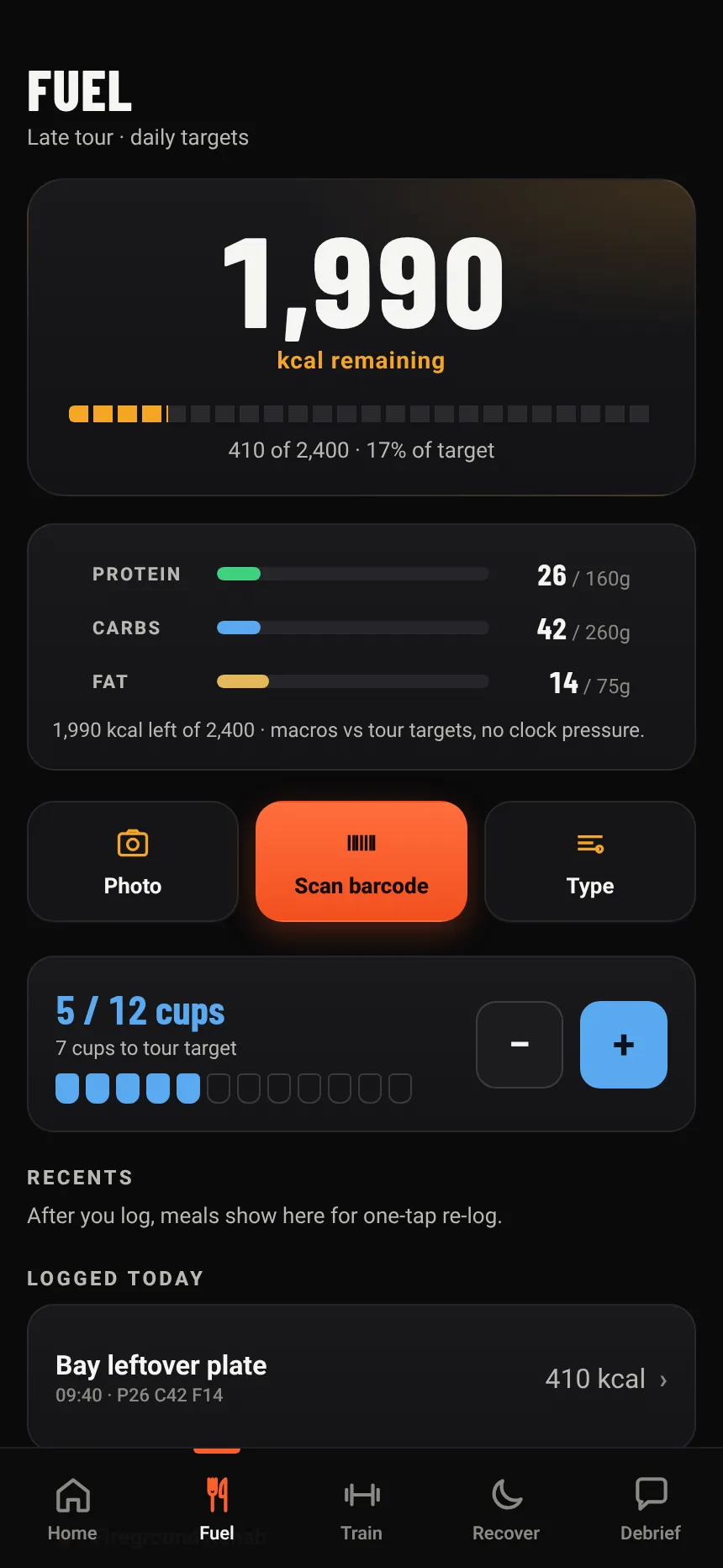
  • Calories left for the tour, with protein, carbs and fat as clear bars.
  • Water as 12 cups. Tap one when you drink one.
  • Repeat-last and saved meals for the stuff you actually eat on shift.
Fuel screen: 1,990 calories remaining this tour, macro bars and a barcode scan button

Recover

Sleep that counts

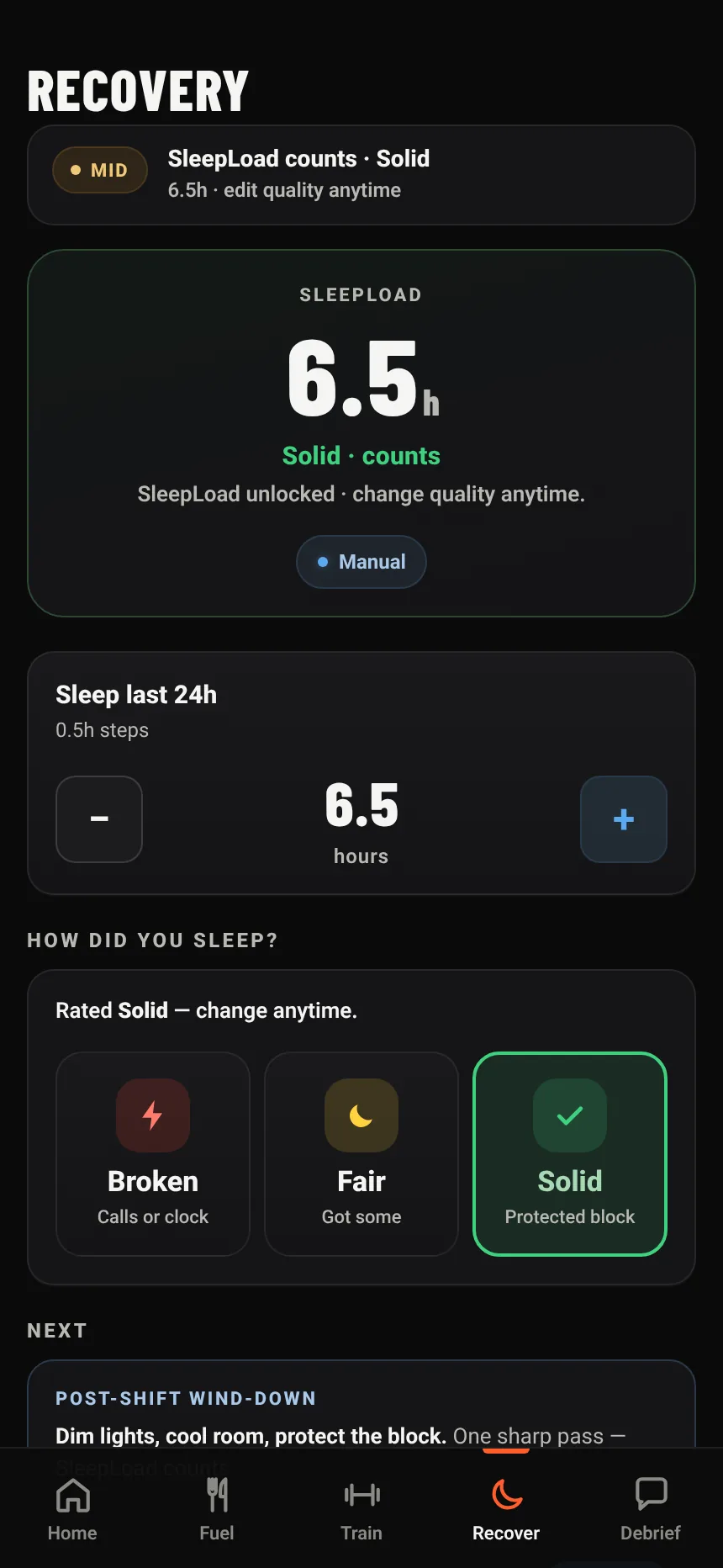
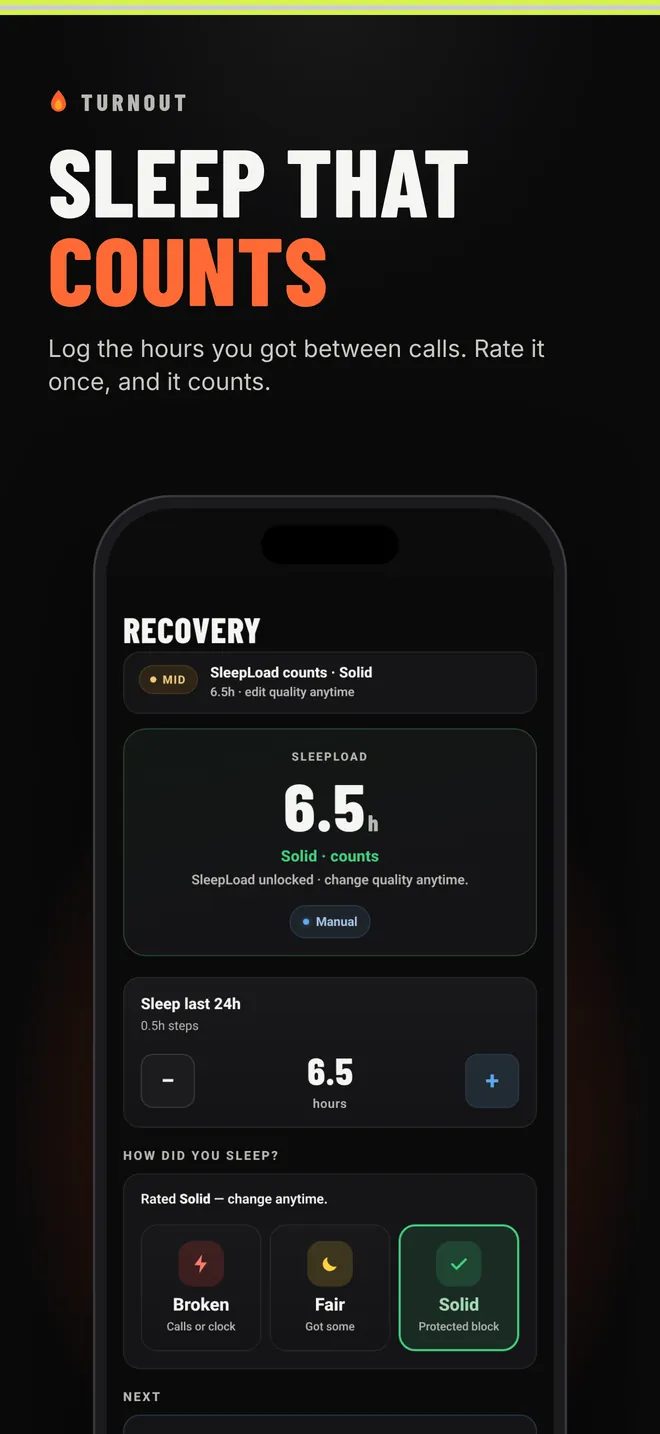
Sleep on shift comes in pieces. Log the hours you got between calls, then rate it once: Broken, Fair or Solid.

  • A couple of taps to log. Fix it anytime; your edit always wins.
  • Hours alone never count. One tap on quality and it goes into your score.
  • Built for interrupted nights, not perfect ones.
Recovery screen: 6.5 hours of sleep logged by hand and rated Solid, so it counts

Debrief

Check in after the bad ones

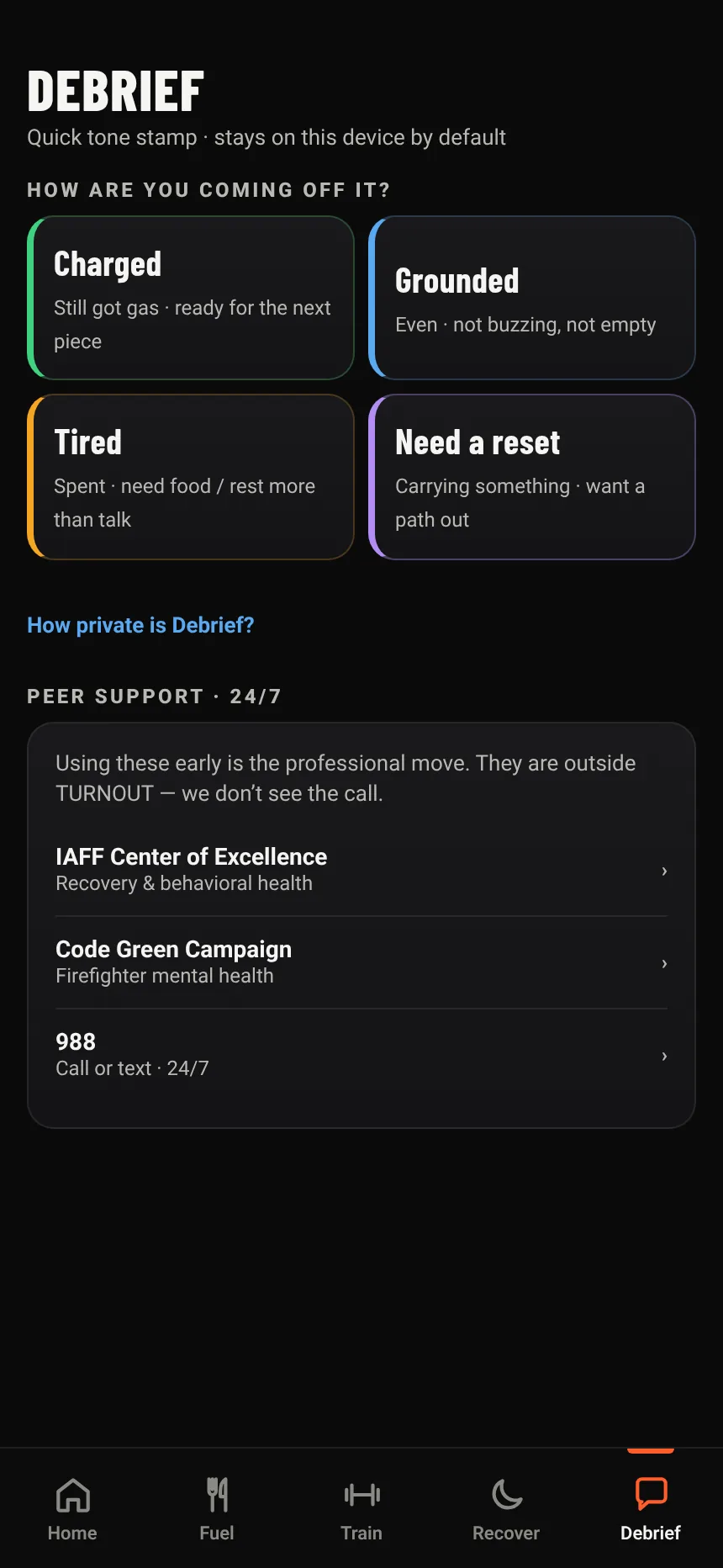
A 10-second check-in: Charged, Grounded, Tired, or Need a reset. No journaling, no forms. Peer support and 988 are one tap away when you want them.

  • Stays on this phone. Nothing goes to your department, ever.
  • Cleared automatically after 90 days, or sooner whenever you want.
  • Links to the IAFF Center of Excellence and Code Green Campaign.
Debrief screen with four check-in choices and peer support links

Train

Log lifts, carries, CPAT stairs and hose hoists. Late in the tour it suggests mobility over a heavy set. Holding back counts as a smart call.

Your schedule

24/48, 48/96, 24/72, Kelly or 12-hour shifts. Tap Start tour at roll call and the dial runs from there.

Works with no signal

Everything you log lives on the phone, so logging works in the bay, in the rig, or out on a wildland assignment. Barcode lookups just need a connection.

How it works

A 24/48, start to finish

The dial splits every tour into phases. What matters most shifts as the hours stack up, so the score does too.

  1. Roll call

    Tap Start tour. The dial starts counting your 24, and Fuel sets a target for the whole shift.

  2. Mid tour

    Scan what you eat and tap your water as you go. Ten seconds between calls keeps the number honest.

  3. Late tour

    Water and your debrief count for more now. Train suggests light work, and Why? shows you the one thing worth doing.

  4. Off days

    End the tour and the focus moves to sleep and recovery, so you're ready when the next one starts.

Phase lengths scale with your schedule. A 48 splits the same way across 48 hours.

Privacy first

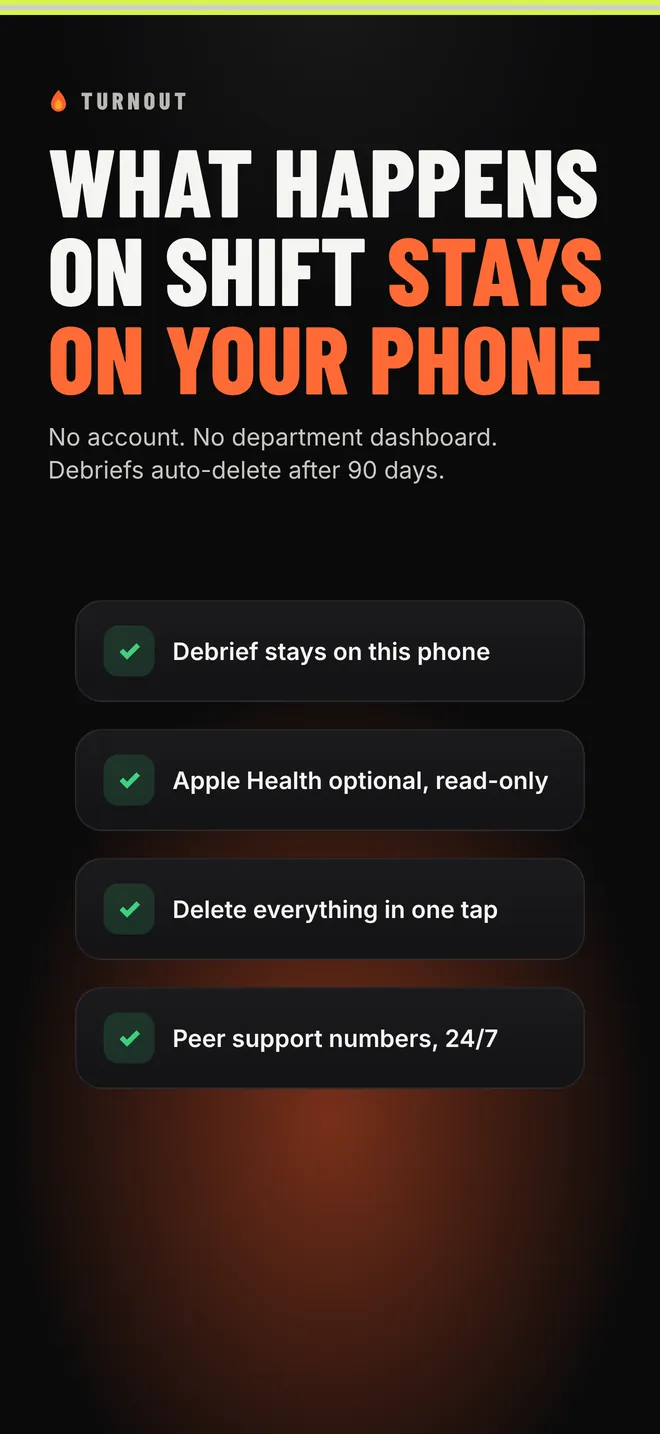
What happens on shift stays on your phone

No account. No server holding your data. No department dashboard. We built it the way we'd want it if it were our own data, because it is.

  • Stored only on your iPhoneShifts, meals, water, sleep, workouts and debriefs never leave the device. We have no server that receives them.
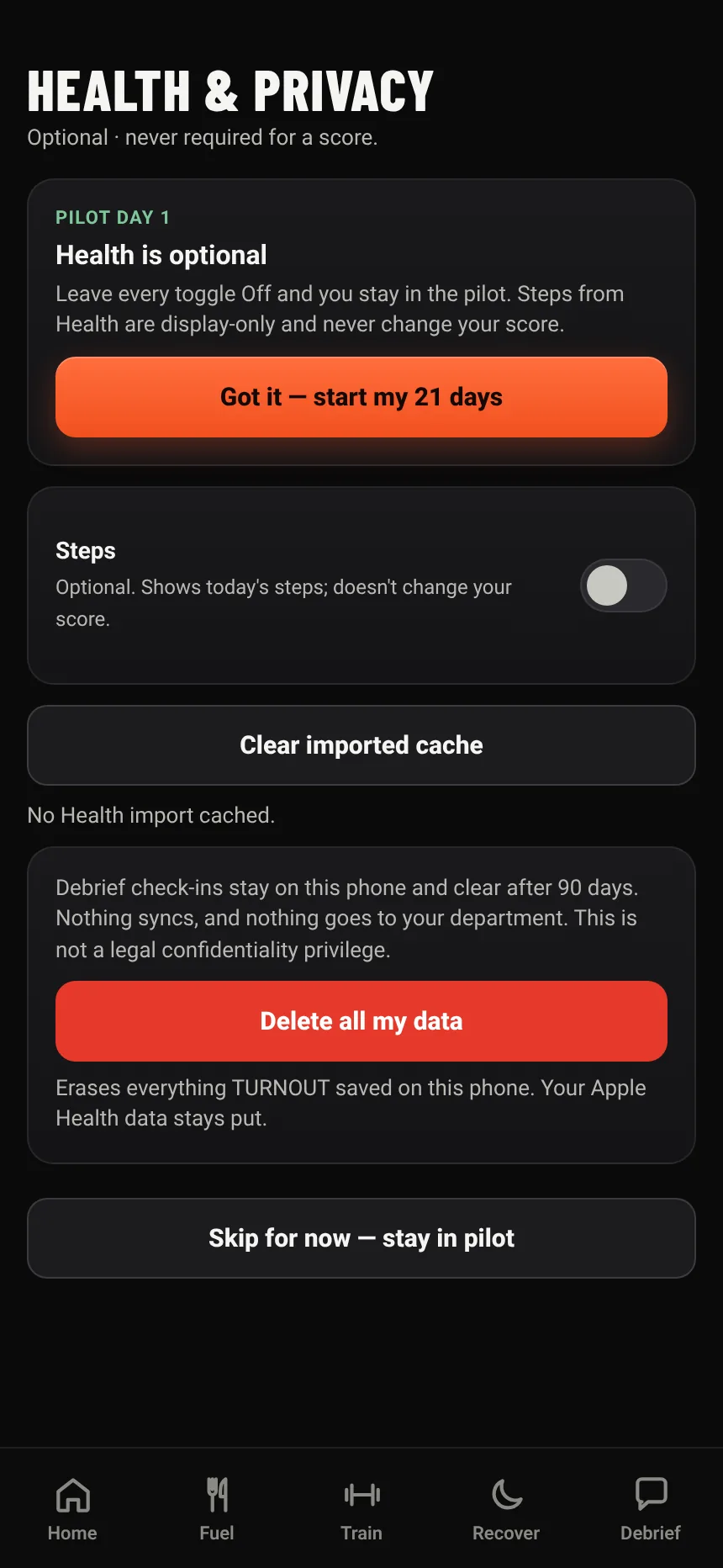
  • Apple Health: optional and read-onlyIf you allow it, TURNOUT reads your step count only. It never writes to Apple Health.
  • Debriefs clear after 90 daysKept on the phone, never synced, never shared, and cleared automatically.
  • Food lookups send only the barcodeScans and searches go to Open Food Facts, a free public food database. Just the barcode number or search words, with no name and no health data.
  • No ads, analytics or trackingNo ad SDKs, no tracking, no selling your data. Delete everything in one tap under More.
Read the Privacy Policy
The app's first-run Health & Privacy screen: Health is optional, an optional Steps toggle, and Delete all my data

On your phone

Not medical advice. Not a fitness-for-duty tool.

TURNOUT is not medical advice and not a fitness-for-duty tool. Its scores are general estimates from what you log. They can't tell you or your department whether you're fit to work a shift, and they shouldn't be used for staffing, discipline or medical decisions. If something feels off, talk to a doctor or your department's medical officer. In an emergency, call 911.

Beta crews wanted

Join the beta

We're looking for firefighters and first responders on iPhone to run TURNOUT for a few tours and tell us straight what works and what doesn't. The beta is free. You'll get a TestFlight invite by email.

Coming soon to the App Store · iPhone

FAQ

Straight answers

Can my department see my data?

No. There's no account, no server and no department dashboard. Everything you log stays on your iPhone. Nobody but you can see it, including us.

Is this a medical app or a fit-for-duty test?

No. TURNOUT is not medical advice and not a fitness-for-duty tool. The scores are general estimates from what you log, meant to help you take care of yourself across the tour. For anything medical, talk to a doctor.

Which shift schedules does it support?

24/48, 48/96, 24/72, Kelly and 12-hour shifts. Tap Start tour when you go on shift and the dial tracks the tour from there.

Do I need an Apple Watch?

No. Apple Health is optional. If you allow it, TURNOUT reads step count; you log sleep in a couple of taps. Without Apple Health, everything still works.

Where does the food info come from?

Barcode scans and food searches look up Open Food Facts, a free public food database. Only the barcode number or search words are sent. You can always type a meal in yourself. Community data can have mistakes, so double-check labels, especially for allergies.

What does it cost?

The beta is free. If we add a paid Pro tier later, the core app (the shift dial, Fuel, Recovery, Train and Debrief) stays free. Any subscription would be handled through Apple and shown clearly before you buy.

Is there an Android version?

Not yet. TURNOUT is iPhone-only for now. Email us if you want Android, because it helps us decide what comes next.

How do I delete my data?

Open More, then Health & Privacy, then Delete all my data. It's gone from the device right away. Deleting the app does the same thing. Debrief check-ins also clear on their own after 90 days.